

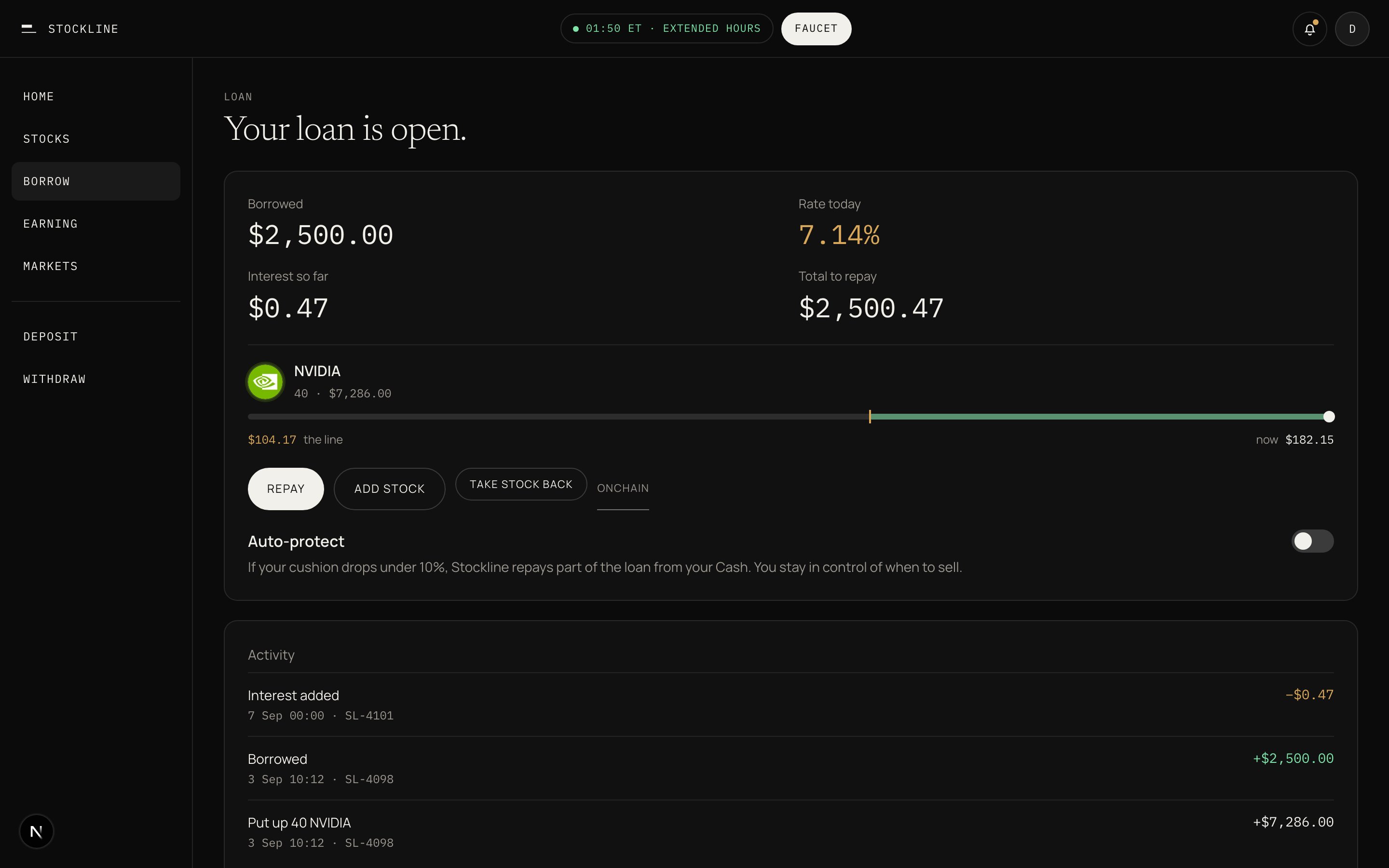
The loan card: Repay, Add stock, and Take stock back sit under the line.
1
Open the loan card
Borrowed, rate today, interest so far, total to repay. Per stock: logo, amount, value, the line, cushion.
2
Repay, add stock, or take stock back
Repay and add stock always work. Take stock back needs room after the change.
3
Withdraw Cash
Bank account, mobile money, or send crypto out. This sends Cash, not Earning.
The worked NVIDIA line of $104.17 is the price at which remaining stock would be sold to cover the loan. Change the loan, change the line.
I do not have enough Cash
I do not have enough Cash
Add dollars to repay. Or move from Earning first if the pool has unused dollars.
Take stock back is blocked
Take stock back is blocked
Repay first to free stock. The remaining stocks must still cover the loan.
Withdraw from Earning failed
Withdraw from Earning failed
Moving back to Cash is instant when the pool has unused dollars. When the pool is lent out, you wait for someone to repay.