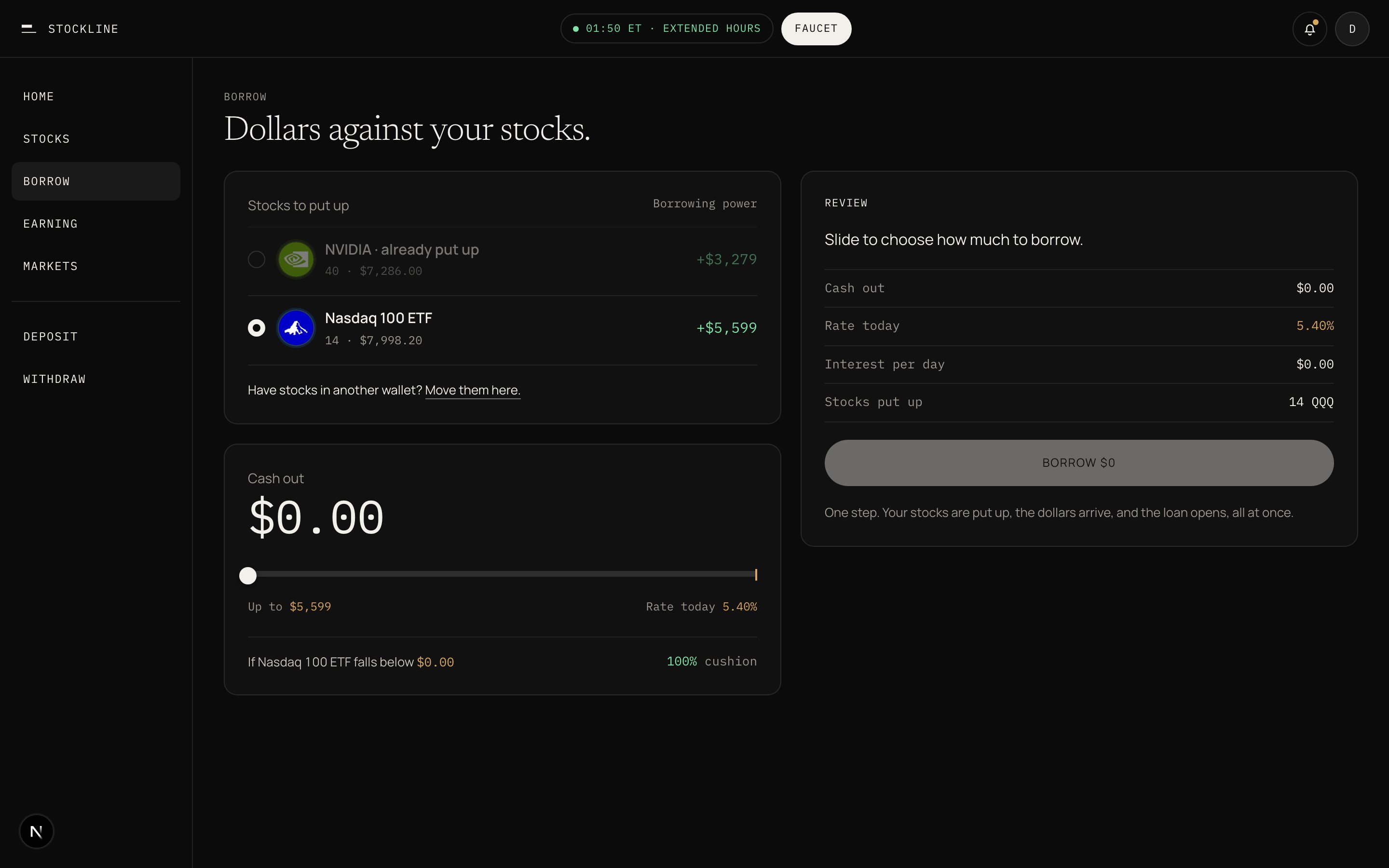
You borrow dollars against stocks you already hold. How much you can take, what it costs, and the price that matters all sit on one card.
The Borrow screen in the app, with stocks to put up on the left, a cash out slider, rate today, and a review panel.

Borrow: pick the stocks to put up, slide to choose cash out, review, one tap.

Dollars against your stocks. You need stocks first. Buy any US stock and you can borrow up to half its value the same minute. Have stocks in another wallet? Move them here. Each stock adds a different amount. NVIDIA is 45% of its value. SPY is 70%. Borrowing power is the sum across the stocks you put up. Rate today is 6.81%. That number is the borrow rate at build. It moves with how much of the pool is lent out. See Interest rates. The line is the price on the card. If NVIDIA falls below $104.17 in the worked example, some of your NVIDIA is sold to cover the loan. Cushion is how far the live price sits above that line. In the same example the cushion is 43%. One step. Your stocks are put up, the dollars arrive, and the loan opens, all at once.
1

Pick stocks to put up

Each row shows how much it adds to borrowing power. Logos, not tickers.
2

Slide the amount

Three numbers live: cash out, rate today, and per stock the price line.
3

Review

If NVIDIA falls below $104.17, some of your NVIDIA is sold to cover the loan. Repay or add stock any time to move that line.
4

One tap

Deposit, borrow, and settlement in one transaction. Dollars land in Cash.
When the market is closed the slider is disabled. Borrowing opens Monday at 09:30. You can still repay or add stock. Prices are paused at Friday’s close. Never a modal.
Borrowing opens with the market clock. You can still repay or add stock. Prices are paused at Friday’s close.
Repay or add stock any time to move that line. Auto-protect can repay from Cash if cushion drops under 10%. Off by default.
Each book starts with borrowing off. Mainnet opens index and mega-cap books first. See Books and tiers.