> ## Documentation Index
> Fetch the complete documentation index at: https://docs.mystockline.xyz/llms.txt
> Use this file to discover all available pages before exploring further.
# Getting started
> Sign in, add money, buy your first stock.
Sign in, put money in the account, then buy your first stock.
Nothing else in the app works until there are dollars or stocks to use.
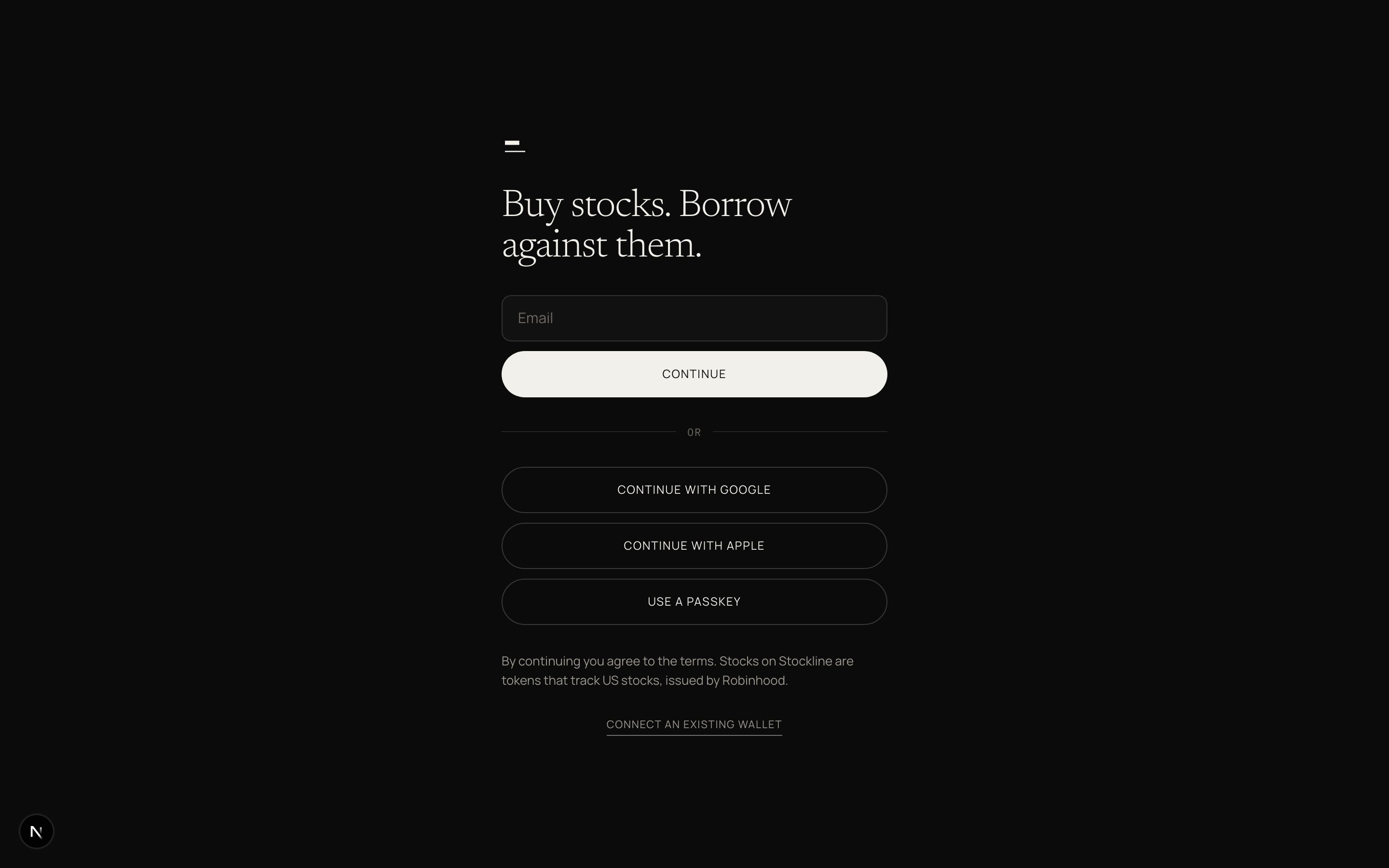 Email, Google, Apple, or a passkey. One screen, one field.
Connect an existing wallet through a small link on the same screen if you already have one.
Start with dollars. Pick Cash, Crypto, or Stocks you already hold.
Card, bank transfer, or mobile money where it is offered.
| Method | Time |
| ------------- | -------- |
| Card | Instant |
| Bank transfer | 1–2 days |
| Mobile money | Minutes |
Amount, method, done. Arrives as dollars in Cash.
An address and a QR, chain shown. Accepted: USDG, USDC, USDT, ETH.
Anything accepted is converted to dollars on arrival. They land in Cash. They do not earn until you move them to Earning.
Move stocks from another wallet, or send them to your Stockline address on Robinhood Chain.
Your stocks stay yours. Moving them here lets you borrow against them.
Search by name or ticker. Twelve names at launch.
Buy and sell in dollars. Amount or quantity, one review, one tap.
From \$1. US stocks you know.
On testnet, skip the on-ramp. Get free test money instead. Open `/faucet` in the app. A TESTNET chip sits next to the market clock. None of it is real.
The first screen after sign-up is deposit because nothing else works without money in the account. Home then shows three rows: Stocks, Dollars, and a Loan if one exists. One primary action per state. No stocks: Buy your first stock. Stocks and no loan: Borrow against your stocks. Loan open: Repay.
Read [What you own](/ecosystem/stock-tokens) before the first fill. The same sentence appears in the app before first buy, on every receipt, and on every stock page.
Wait under two minutes. Check you sent an accepted asset on Robinhood Chain. Then tap I have sent it.
Use Crypto, or on testnet use the faucet. Cash rails vary by corridor.
Move stocks from another wallet. That wallet stays yours and is never your Stockline account.
Email, Google, Apple, or a passkey. One screen, one field.
Connect an existing wallet through a small link on the same screen if you already have one.
Start with dollars. Pick Cash, Crypto, or Stocks you already hold.
Card, bank transfer, or mobile money where it is offered.
| Method | Time |
| ------------- | -------- |
| Card | Instant |
| Bank transfer | 1–2 days |
| Mobile money | Minutes |
Amount, method, done. Arrives as dollars in Cash.
An address and a QR, chain shown. Accepted: USDG, USDC, USDT, ETH.
Anything accepted is converted to dollars on arrival. They land in Cash. They do not earn until you move them to Earning.
Move stocks from another wallet, or send them to your Stockline address on Robinhood Chain.
Your stocks stay yours. Moving them here lets you borrow against them.
Search by name or ticker. Twelve names at launch.
Buy and sell in dollars. Amount or quantity, one review, one tap.
From \$1. US stocks you know.
On testnet, skip the on-ramp. Get free test money instead. Open `/faucet` in the app. A TESTNET chip sits next to the market clock. None of it is real.
The first screen after sign-up is deposit because nothing else works without money in the account. Home then shows three rows: Stocks, Dollars, and a Loan if one exists. One primary action per state. No stocks: Buy your first stock. Stocks and no loan: Borrow against your stocks. Loan open: Repay.
Read [What you own](/ecosystem/stock-tokens) before the first fill. The same sentence appears in the app before first buy, on every receipt, and on every stock page.
Wait under two minutes. Check you sent an accepted asset on Robinhood Chain. Then tap I have sent it.
Use Crypto, or on testnet use the faucet. Cash rails vary by corridor.
Move stocks from another wallet. That wallet stays yours and is never your Stockline account.